 AirPower
Use Airtable Views to Limit Which Rows Sync to Shopify
Send only some Airtable rows to Shopify. Point an Airtable to Shopify sync at a filtered Airtable view for partial updates, staged launches, and approvals.
In Airtable, a view is a saved way of looking at a table. A view’s filters decide which rows it shows, such as products marked ready or prices changed this week.
By default, an Airtable to Shopify sync checks every row in its table. That works for full catalog edits, but not when only some rows are ready to go live.
Point the sync at a view, and it sends only the rows in that view. Edit freely in the table, then add rows to the view when they are ready for Shopify.
Create the view in Airtable
- Open the table in Airtable, such as Products
- Click Create new… in the view list and pick Grid
- Name the view, such as Ready to sync
- Add filters for the rows you want to send, such as a Ready checkbox that is ticked
Sorting, grouping, and hidden fields in the view don’t change what is sent. AirPower reads each row from the table, so a field hidden in the view is still sent.
Pick the view for the sync
- On the dashboard, click Edit on the Airtable to Shopify sync
- Open the tab of the data type, such as Products
- Click every row next to the table name
- Under Rows to send, pick the view
- Click Done
- Click Save in Shopify’s save bar
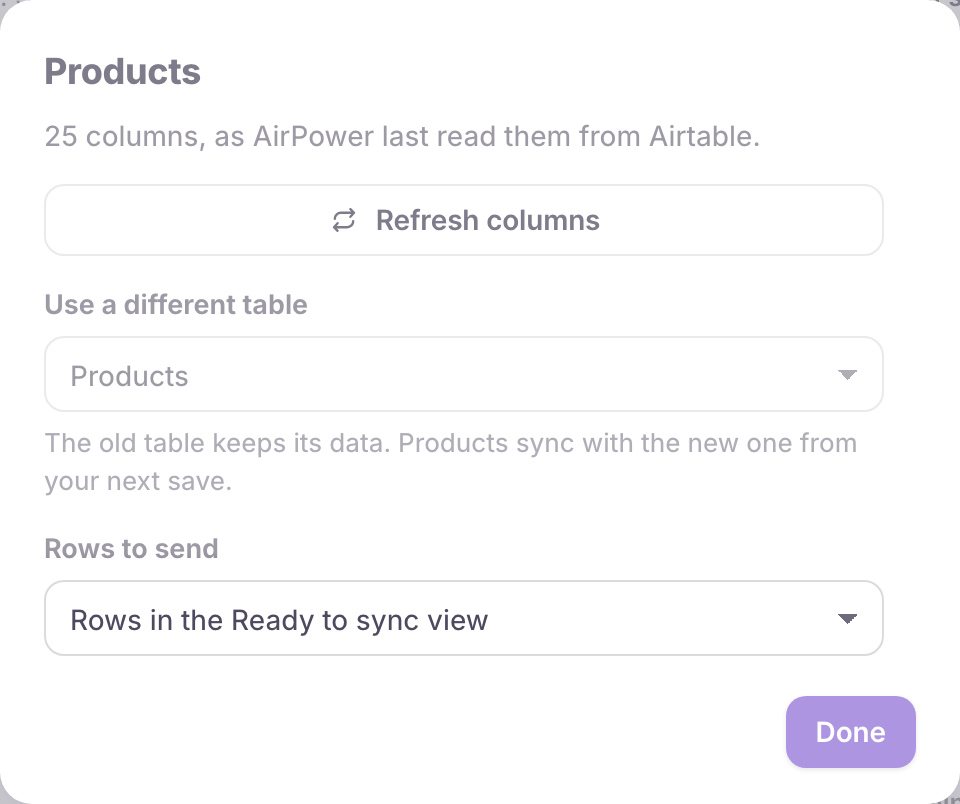
If the view you need isn’t listed, click Refresh columns in the same dialog to read the table again.
What you’ll see after saving
The tab now names the view next to the table, such as Ready to sync view. The summary under it says Only rows in the Ready to sync view are sent.
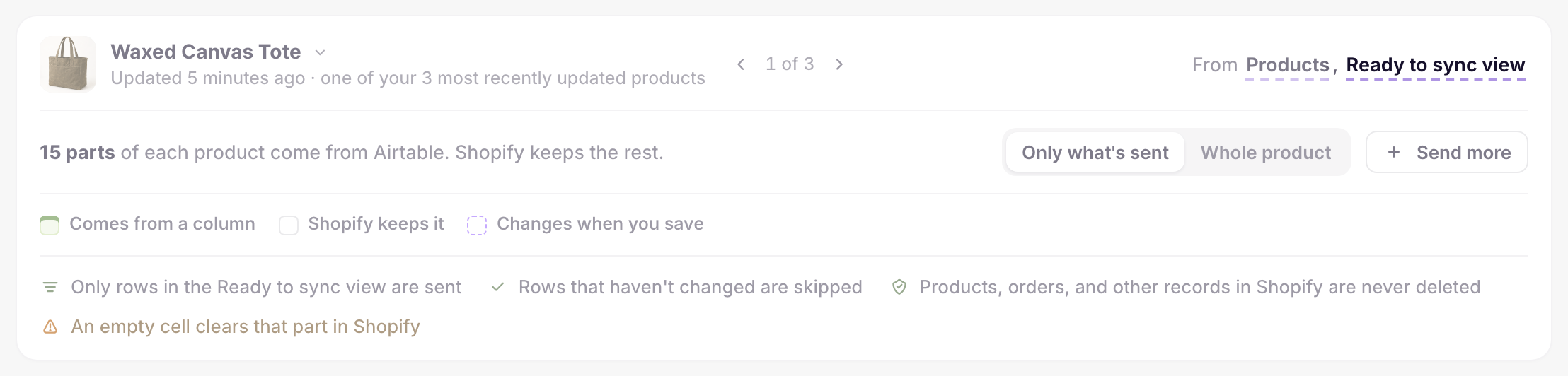
Each run checks only the rows in the view. Rows outside the view stay as they are in Shopify.
To send every row again, pick Every row in the table under Rows to send and save.
Related pages
Still stuck?
Email the team and tell us which store and which Airtable base you're working with.