 AirPower
Sync Shopify Locations to Airtable
Bring Shopify warehouses, retail stores, and fulfillment locations into Airtable, with addresses and status, kept current as locations change in Shopify.
In Shopify, a location is a warehouse, retail store, or fulfillment center. Every stock quantity belongs to a location, and orders are fulfilled from one.
Stock counts, transfers, and fulfillments that reach Airtable often carry only a location ID. Without the locations themselves in the base, those IDs don’t say which warehouse or store they mean.
AirPower brings locations into Airtable as their own table, with each location’s name, address, and status. The table stays current as locations change in Shopify.
Locations sync from Shopify into Airtable only. Create and edit them in the Shopify admin.
Set up Locations
- On the dashboard, click Edit on a Shopify to Airtable sync, or create one
- Click Add data
- Click Locations
- Click Create a Locations table, or pick one of your tables from Use a table
- Click Save in the save bar
- In Save changes, keep Locations ticked and click Save changes
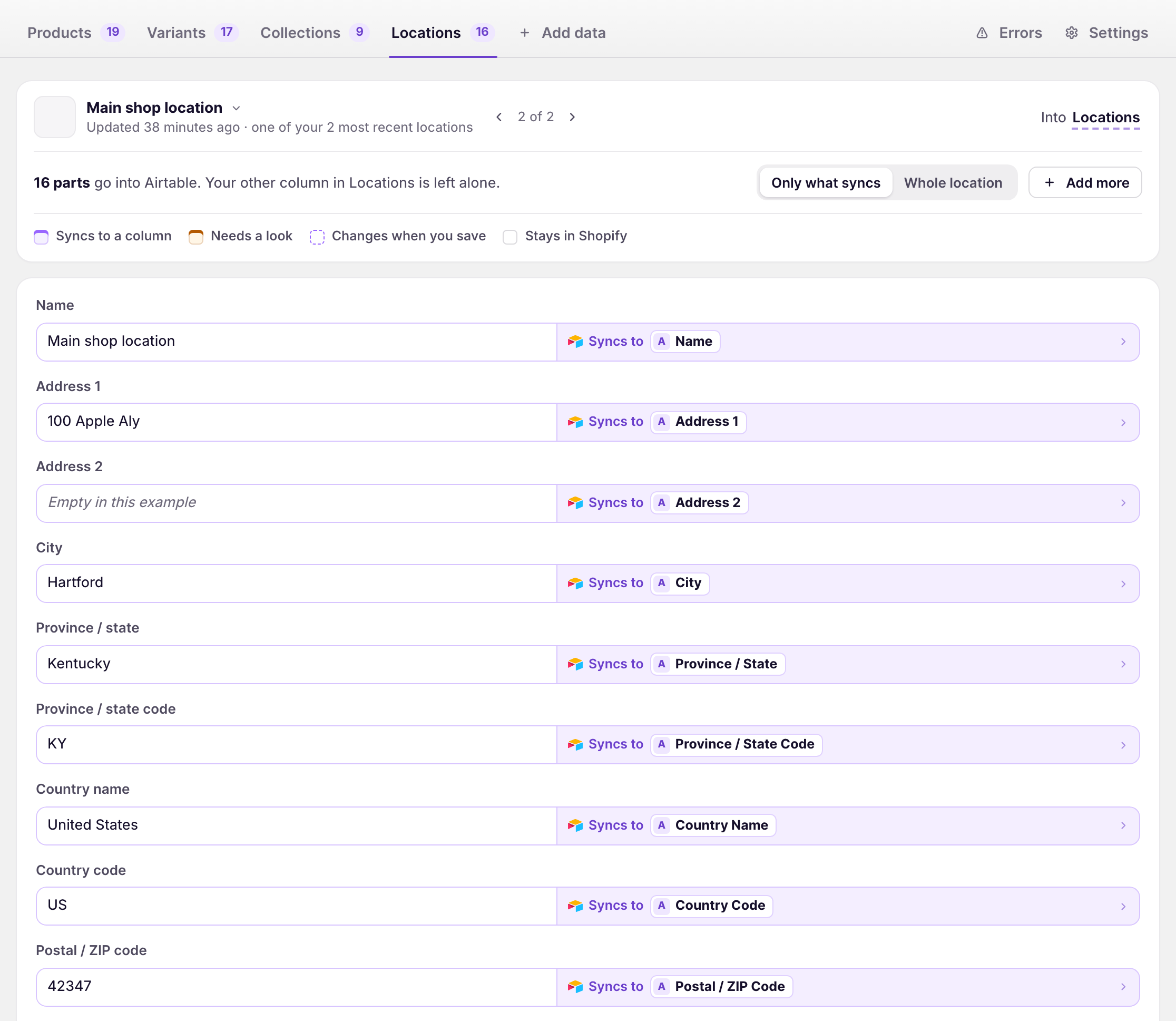
Ticking Locations in step 6 loads your existing locations.
What locations contain
Address
Name, address lines, city, province or state and its code, country and its code, postal or ZIP code, and phone.
Status
Whether the location is active, fulfills online orders, ships inventory, or belongs to a fulfillment service, and when it was created.
Keep locations current
Shopify tells AirPower when a location is added, changed, or removed, and the sync updates the table. A location removed in Shopify loses its row.
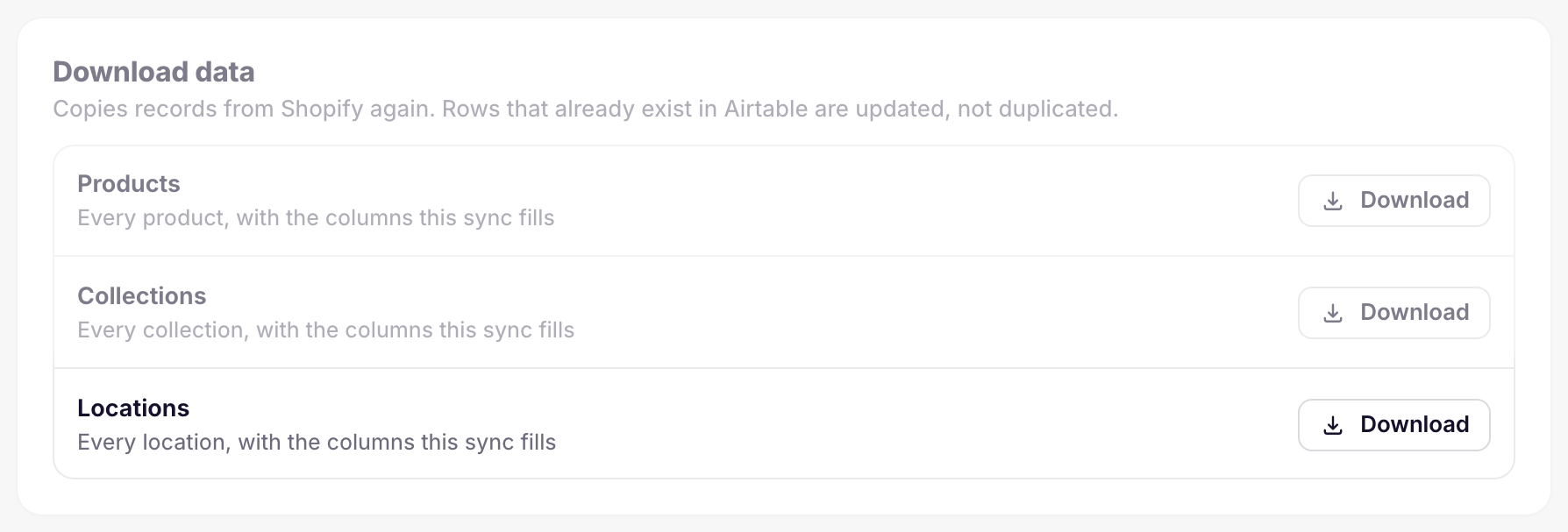
To download every location again, click Settings, find Download data, and click Download next to Locations.
Stock by location
Stock quantities don’t live on the Locations table. They’re columns on your Variants table, one per location and quantity type, set up in the Stock by location card on the Variants tab.
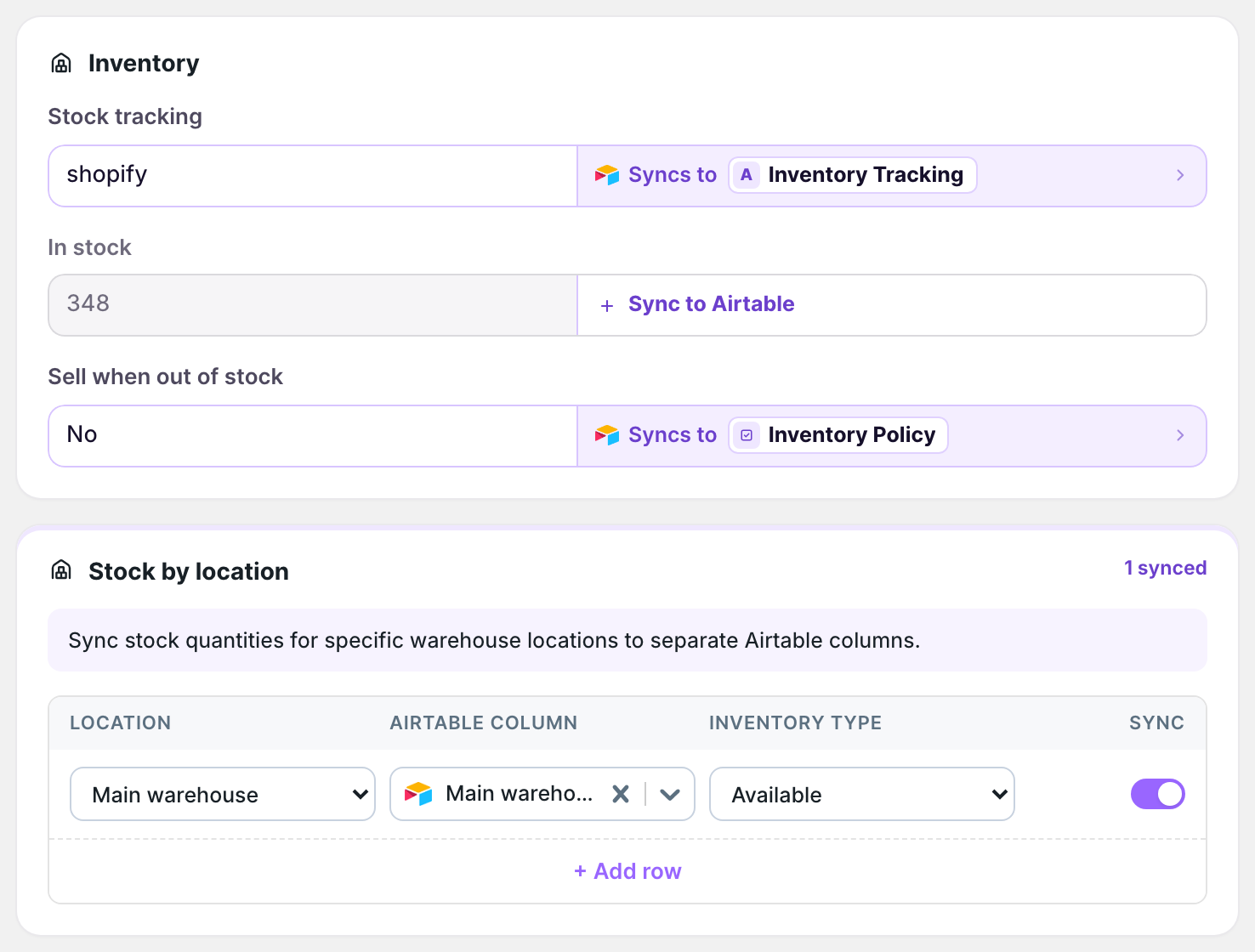
See Sync inventory.
What you’ll see after saving
The Locations table has one row per location, with its Shopify ID. The dashboard sync card’s activity lists Location updates when a location changes.
Related pages
Still stuck?
Email the team and tell us which store and which Airtable base you're working with.