 AirPower
Edit Shopify Product SEO Titles and Descriptions in Airtable
Bulk edit Shopify product SEO titles and meta descriptions in Airtable, then send them to the product's search engine listing in Shopify.
In Shopify, each product has a page title and a meta description in its Search engine listing section. Search engines show them as the product’s title and summary in search results.
Optimizing SEO across a catalog in the admin means opening each product, scrolling to the listing, and rewriting two fields. SEO work usually needs side-by-side review and keyword passes instead.
AirPower syncs both fields to Airtable columns. Review SEO copy next to each product’s title, type, and tags, edit it in bulk, and send it back to Shopify.
Where SEO appears
The Search engine listing card on the Products tab holds Page title, Meta description, URL handle, and the product page link.
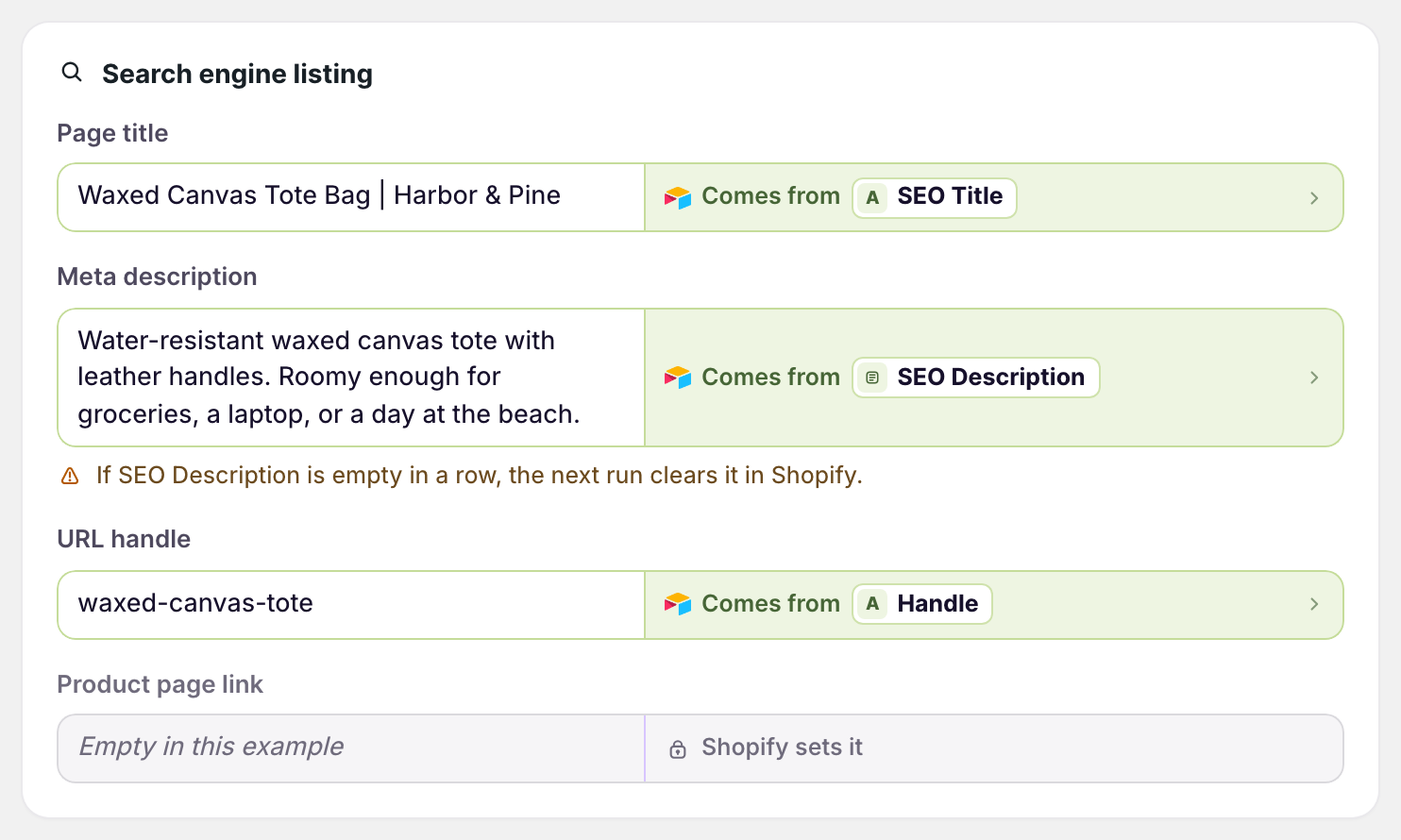
Send SEO copy to Shopify
- On the dashboard, click Edit on your Airtable to Shopify sync
- Click Products
- Click Whole product
- In Search engine listing, click Send from Airtable under Page title
- Pick your SEO title column
- Repeat steps 4 and 5 for Meta description
- Click Save in the save bar
- Edit the SEO copy in Airtable
- Click Sync now
An empty meta description cell clears the product’s meta description in Shopify. The card warns about this under the field.
Bring current SEO copy into Airtable
Shopify to Airtable syncs fill the same columns with each product’s current listing.
- On the dashboard, click Edit on your Shopify to Airtable sync
- Click Products
- Click Whole product
- In Search engine listing, click Sync to Airtable under Page title and Meta description
- Click Save in the save bar
- In Save changes, keep Products ticked and click Save changes
The copy goes into SEO Title and SEO Description columns, which are added when you save if they don’t exist.
Collections
The Collections tab has the same Search engine listing card, with page title, meta description, and URL handle.
Older metafield setups
Earlier setups synced SEO copy through the SEO Title Tag and SEO Description Tag metafields, in the Metafields card. Shopify treats those as the same page title and meta description, so send each one from a single column.
What you’ll see after syncing
After an Airtable to Shopify run, the product’s Search engine listing in the Shopify admin shows the new page title and meta description.
Related pages
Still stuck?
Email the team and tell us which store and which Airtable base you're working with.