 AirPower
Publish or Unpublish Shopify Products from Airtable
Publish or unpublish Shopify products on the Online Store, Point of Sale, and other sales channels in bulk, using checkbox columns in Airtable.
In Shopify, publishing controls where a product can be sold. Each product is published to one or more sales channels, such as your Online Store, Point of Sale, Google, or Facebook. If a product is not published to a channel, shoppers on that channel do not see it.
Managing this in the Shopify admin means opening each product and toggling channels one at a time. For larger catalogs or coordinated launches, that gets slow.
AirPower brings publishing into Airtable. Each sales channel syncs to a checkbox column on your Products table. Tick a box to publish the product to that channel, or untick it to remove the product. When the sync runs, Shopify reflects the change.
Where publishing appears
The Publishing card on the Products tab lists the four channels every store has: Online Store, Point of Sale, Google and YouTube, and Facebook and Instagram. Your store’s other channels and market catalogs follow, such as Shop or France.
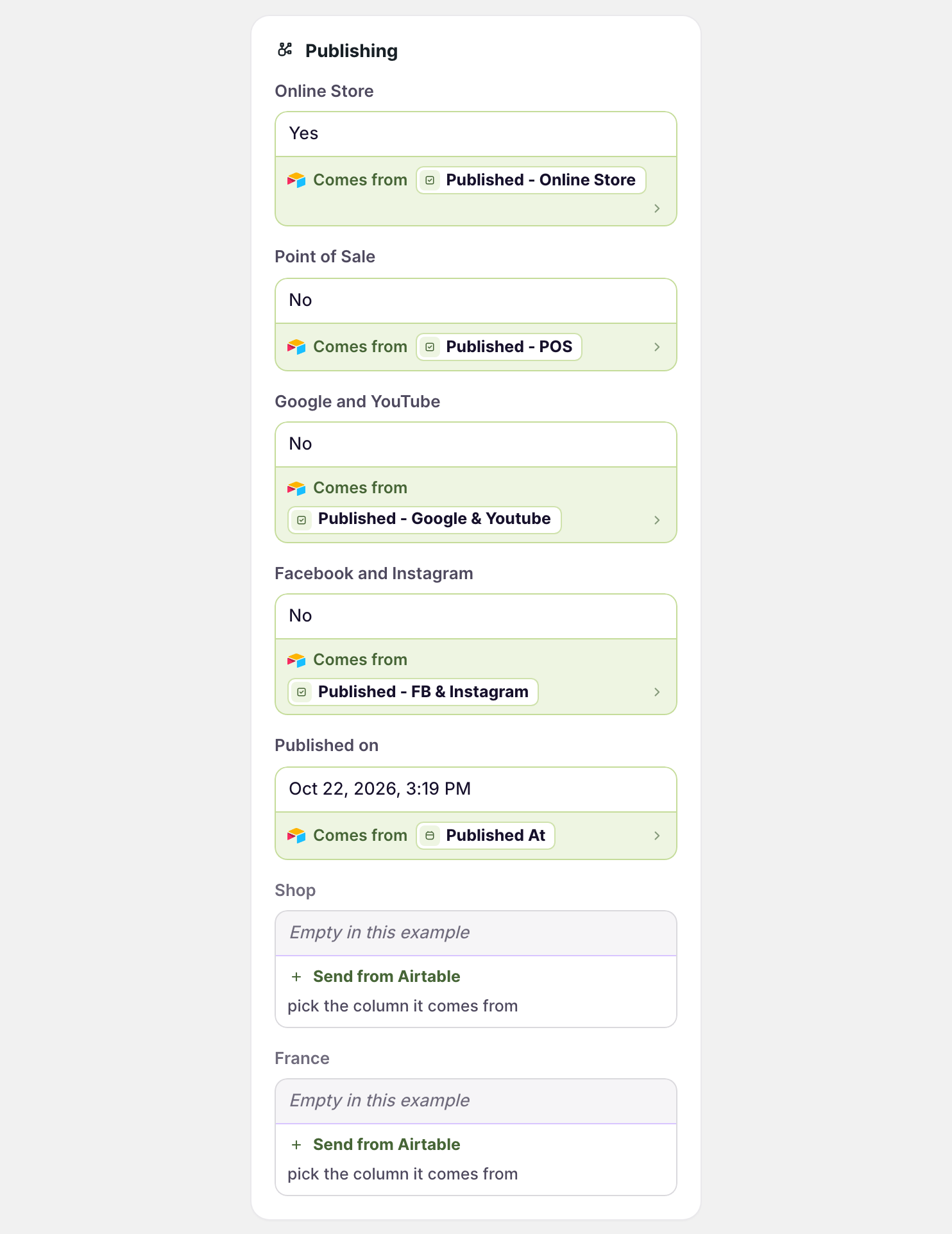
Each channel uses its own checkbox column. Published on holds the date the product was published to the Online Store.
Bring publishing into Airtable
Shopify to Airtable syncs tick each channel’s checkbox where the product is published.
- On the dashboard, click Edit on your Shopify to Airtable sync
- Click Products
- Click Whole product
- In Publishing, click Sync to Airtable under each channel
- Click Save in the save bar
- In Save changes, keep Products ticked and click Save changes
Each channel goes into a checkbox column named after it, such as Published - Online Store, which is added when you save if it doesn’t exist.
Publish and unpublish from Airtable
- On the dashboard, click Edit on your Airtable to Shopify sync
- Click Products
- Click Whole product
- In Publishing, click Send from Airtable under a channel
- Pick its checkbox column
- Repeat steps 4 and 5 for each channel
- Click Save in the save bar
- Tick or untick the boxes in Airtable
- Click Sync now
Published on also sets the Online Store channel. A date publishes the product, and an empty cell unpublishes it. Send Online Store or Published on, not both, so one column decides the channel.
Collections
The Collections tab has its own Publishing card, with the same four channels and your store’s app channels, such as Shop. It works the same way.
What you’ll see after syncing
After an Airtable to Shopify run, each product’s sales channels in the Shopify admin match its ticked boxes. A product unticked for a channel no longer shows to shoppers there.
Related pages
Still stuck?
Email the team and tell us which store and which Airtable base you're working with.