 AirPower
Run Shopify Bulk Price Changes with Airtable
Change Shopify prices in bulk from Airtable. Edit variant prices and compare-at prices in a grid or with a formula, then update hundreds of products in one sync.
In Shopify, prices are stored on each variant, not on the product. Even a product with no options has one variant that holds its price, compare-at price, and cost. A bulk price change is a bulk update of variant prices.
Changing prices across hundreds of variants in the Shopify admin is slow, and changes that follow a rule, such as a 10% increase for one vendor or a margin over cost, have to be worked out by hand.
AirPower brings variant prices into Airtable as columns. Edit them in the grid or compute them with a formula, then send the new prices to Shopify in one sync run.
Where prices live in Airtable
Prices are on the Variants data type. Your variants can have their own table, or share the Products table.
Separate Variants table
Each variant has its own row with its price. The Expanded template uses this layout.
Products and variants on one table
Each product row holds its first variant’s price. The Compact template uses this layout.
Send prices to Shopify
You need an Airtable to Shopify sync that includes Variants. See Update Shopify from Airtable to set one up.
- On the dashboard, click Edit on your Airtable to Shopify sync
- Click Variants
- Find the Pricing card
- Click Send from Airtable on Price, and on Compare-at price if you use it
- Click Save in the save bar
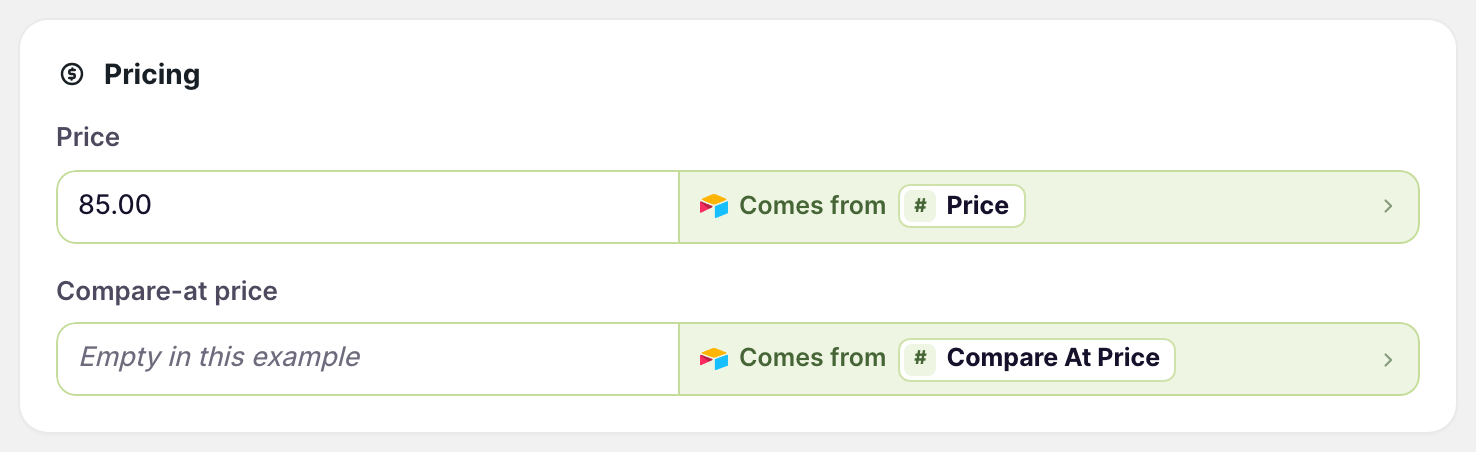
Cost can be sent the same way.
Change prices and sync
- Edit the prices in your Airtable table, or fill the column from a formula
- Click Sync now on the sync’s page or its dashboard sync card
Each run sends only the rows that changed. To update some products and not others, click every row next to the table name and pick an Airtable view. See Use Airtable views to limit sync rows.
To work out prices with a formula, see Update Shopify prices with Airtable formulas.
Prices for markets and B2B
Prices for other countries and for B2B customers are separate from the variant price. They have their own cards on the Variants tab, Market prices and B2B catalog prices, and need AirPower Plus. See Bulk edit international market prices and Bulk edit B2B catalog prices.
What you’ll see after the run
The new prices appear on each variant in the Shopify admin and in your store. A row that Shopify rejects, such as one with a value that isn’t a price, shows as an error on the dashboard sync card. See Sync errors.
Related pages
Still stuck?
Email the team and tell us which store and which Airtable base you're working with.