 AirPower
Set Up Shopify B2B Prices in Airtable: Columns and Steps
How to set up Shopify B2B catalog prices in Airtable: bring each catalog's fixed and calculated prices into Variants columns, change them, and send them back.
In Shopify B2B, wholesale buyers see the prices in a B2B catalog. The catalog belongs to a B2B market that includes the buyers’ company locations. It can set a fixed price for a variant, or adjust every price, such as 30% off.
Changing fixed wholesale prices in the Shopify admin means opening the catalog and editing variants one at a time. With several catalogs, keeping prices in step takes even longer.
AirPower brings each B2B catalog’s prices into columns on your Variants table. Review them in one grid, change fixed prices in bulk, and send them back to Shopify.
For a summary of every field and what goes back to Shopify, see Bulk edit Shopify B2B prices with Airtable.
Before you start
- B2B prices need AirPower Plus. On other plans, the B2B catalog prices card shows Upgrade to AirPower Plus.
- Your syncs need Variants on a table of their own. B2B price columns go on the Variants table.
- Each catalog needs to be in Shopify, under Markets > Catalogs, and assigned to a B2B market. Its prices are named after the catalog, such as Northwind wholesale - Fixed Price.
- Catalogs assigned straight to company locations, from Shopify’s earlier B2B setup, show up here too.
Prices you can sync
Fixed Price and Fixed Compare-At Price
Prices you set for the catalog. They sync both ways.
Relative Price and Relative Compare-At Price
Prices Shopify calculates from the variant’s base price and the catalog’s adjustment. They come into Airtable only.
In a catalog, a variant has either a fixed price or a relative price, so one of its two price columns is empty.
Bring B2B prices into Airtable
- On the dashboard, click Edit on your Shopify to Airtable sync
- Click Variants, then Whole variant
- In B2B catalog prices, click + Add B2B price
- Pick a price, such as Northwind wholesale - Fixed Price
- Pick a column, or type a new column’s name and click Create column
- Repeat steps 3 to 5 for each price you want
- Click Save in the save bar
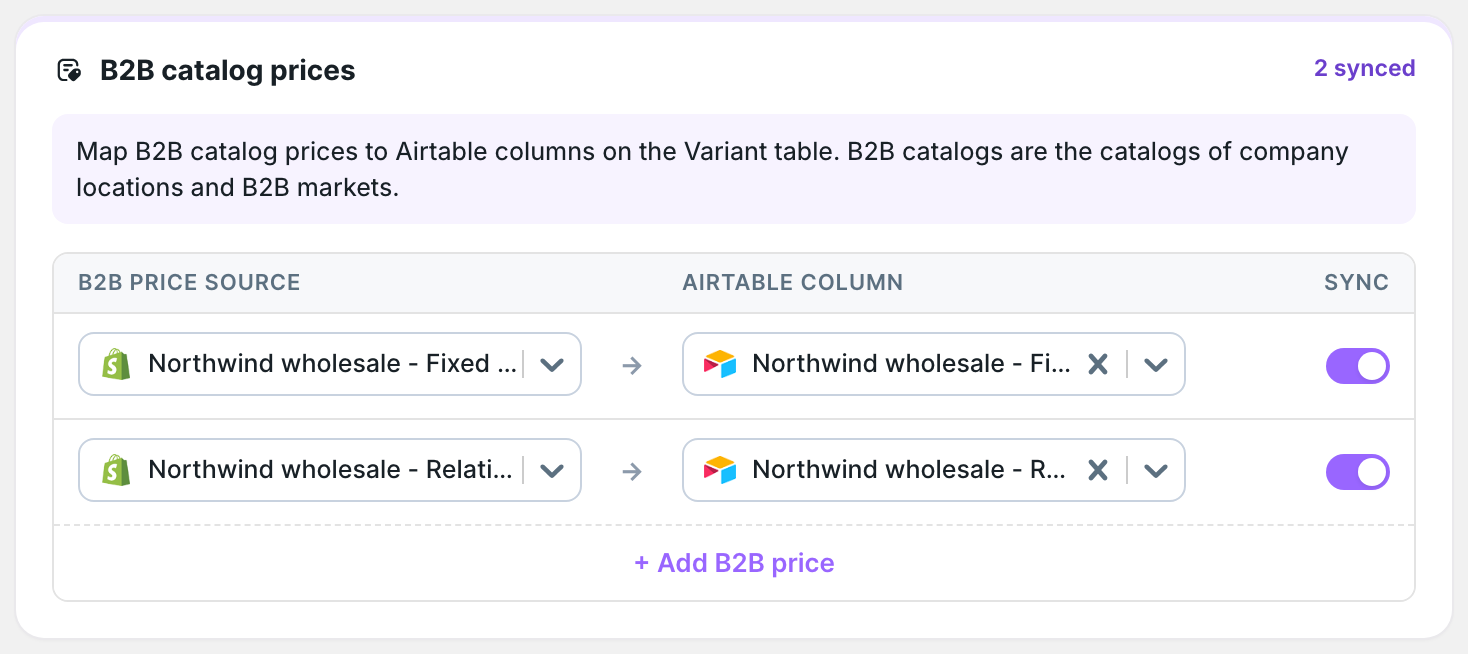
When you save, AirPower downloads the prices into the new columns.
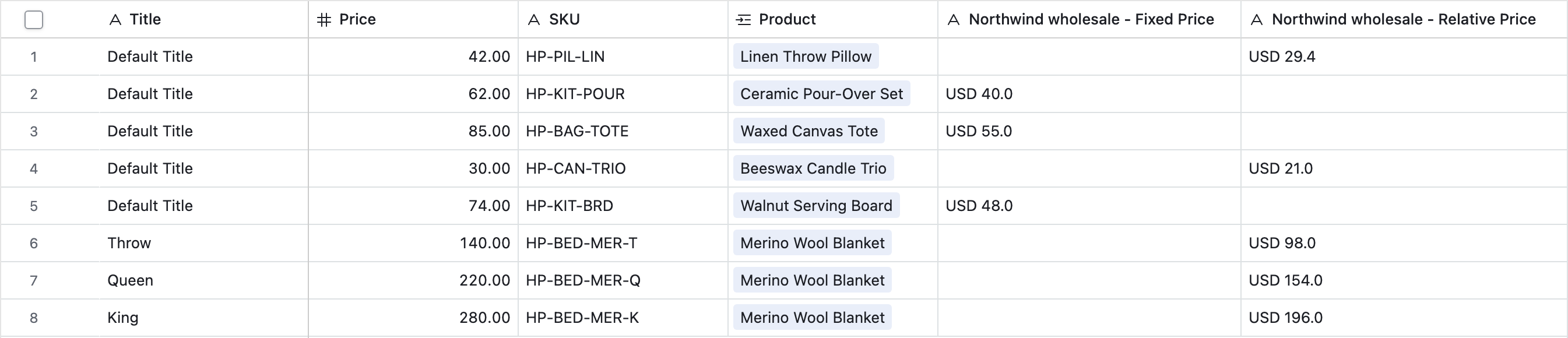
Fixed prices arrive with their currency code, such as USD 40.0.
Shopify doesn’t tell apps when catalog prices change, so they don’t update on their own. To download them again, click Settings, find Download data, and click Download next to Market and B2B prices. You can also click Download now on the dashboard sync card and pick Market and B2B prices. Saving the sync downloads them too, and a Shopify to Airtable sync that runs on a schedule refreshes them on each run.
Send fixed prices to Shopify
- On the dashboard, click Edit on your Airtable to Shopify sync
- Click Variants, then Whole variant
- In B2B catalog prices, click + Add B2B price
- Pick the column, such as Northwind wholesale - Fixed Price
- Pick the price it sets, such as Northwind wholesale - Fixed Price
- Click Save in the save bar
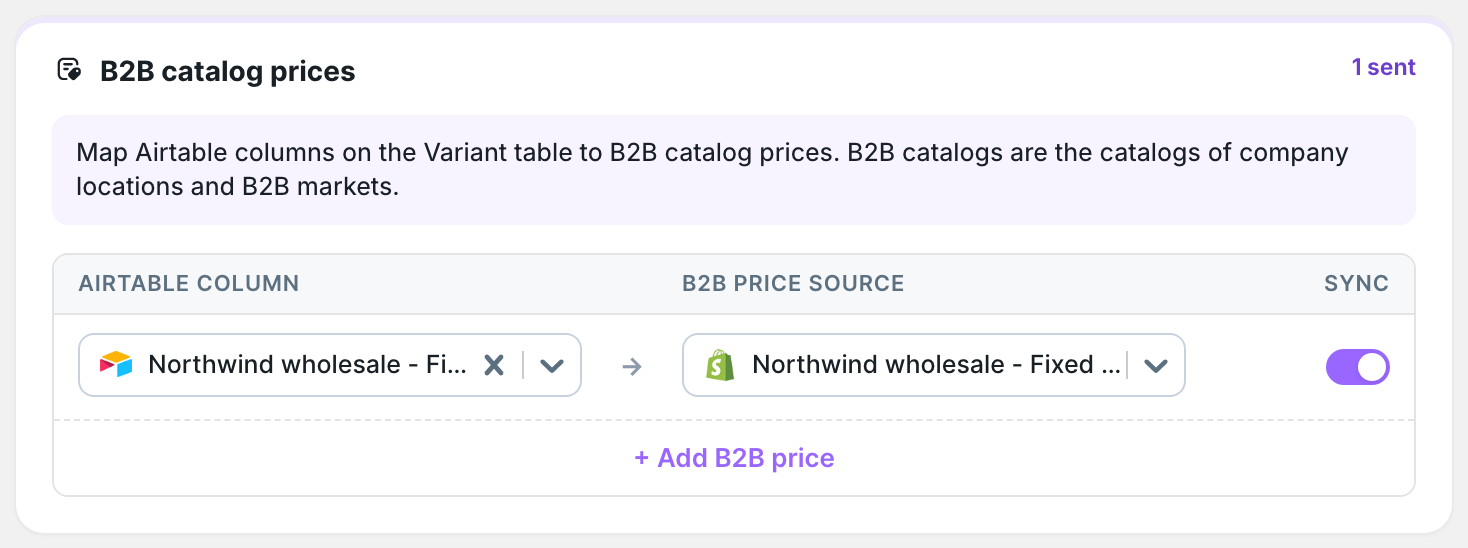
Edit the column in Airtable, then click Sync now. A plain number, such as 55.00, is read in the catalog’s currency. A value with its currency code, such as USD 55.00, works too.
An empty cell removes the fixed price
When a fixed price cell is empty, the next run removes that variant’s fixed price, and the catalog’s adjustment applies to it again. Fill the column before you sync, or send a view with only the rows you changed. See Use Airtable views to limit sync rows.
A fixed compare-at price only applies to a variant that also has a fixed price.
What you’ll see after the run
The catalog in the Shopify admin shows your fixed prices. After the next download, the Airtable column shows them with their currency code.
Related pages
Still stuck?
Email the team and tell us which store and which Airtable base you're working with.