 AirPower
Add Shopify Product Variants in Bulk with Airtable
Add new Shopify variants in bulk from Airtable. Create a variant row, link it to its product, fill in the option values, and sync it to Shopify.
In Shopify, a variant is one version of a product that shoppers can buy, set by option values like size, color, or material. Each variant has its own SKU, price, and stock. New variants are added from the product’s page in the Shopify admin.
For new launches or a new size across a range, adding variants in the admin means opening each product and entering them one at a time.
AirPower adds variants from Airtable. Add a row to your Variants table, link it to its product, fill in the option values, and run the sync. Shopify creates the variant, and its new ID is written back to the row.
Before you start
Your Airtable to Shopify sync needs Products and Variants on separate, linked tables. The Options card on its Variants tab sends Option 1, and Option 2 and Option 3 when your products use them.
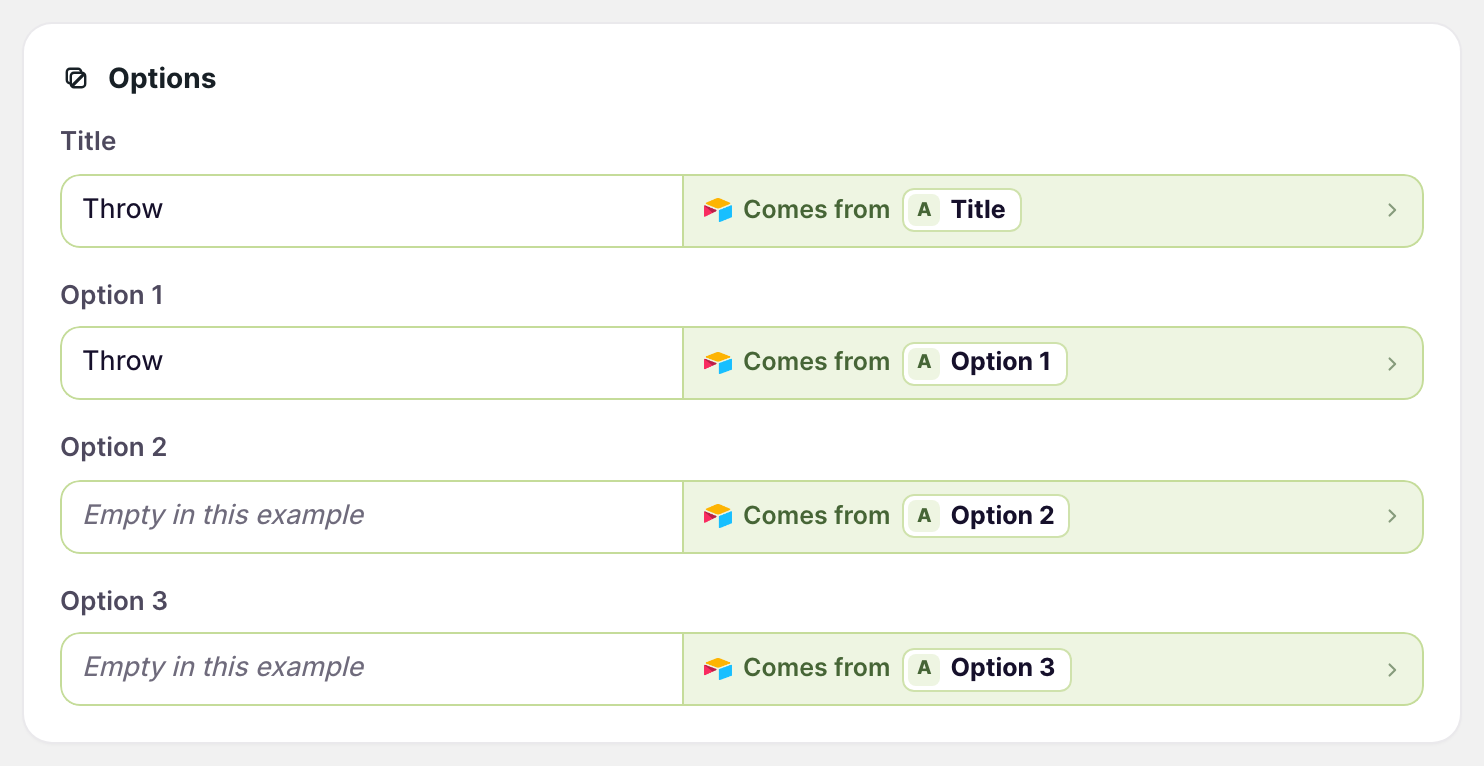
The option names, such as Size, come from the product row, through Option 1 name in the Variants card on the Products tab. The product must already exist in Shopify, with a Shopify ID on its row.
Add variants
- Open your Variants table in Airtable
- Add a row for each new variant. Leave its Shopify ID empty.
- Link the row to its product row
- Fill in the option values, such as King under Option 1
- Fill in every other column the sync sends, such as price, SKU, and weight
- On the dashboard, click Sync now on your Airtable to Shopify sync
Each variant of a product needs its own combination of option values. A row that repeats another variant’s values fails.
When a row fails
The sync page’s Errors tab lists each row Shopify turned down, with the reason. For example, a new row with an empty Weight cell shows an error when the sync sends weight.
Fix the row in Airtable, then click Sync now again.
What you’ll see after syncing
The new variants appear on their products in the Shopify admin. Each new row in Airtable gets its Shopify ID, so later runs update it instead of adding it again.
Related pages
Still stuck?
Email the team and tell us which store and which Airtable base you're working with.