 AirPower
Update Shopify Prices with Airtable Formulas
Calculate Shopify variant prices with an Airtable formula, such as cost times a markup, and send the results to Shopify on every sync run.
In Shopify, each variant stores its price as a fixed amount. Bulk updates mean editing variants directly or uploading a price file, and both need the final number worked out first.
Pricing rules usually depend on cost, margin, rounding, or category. Applying them in the admin means calculating each price elsewhere and entering the result variant by variant.
AirPower can send variant prices from an Airtable formula column. Write the rule once in Airtable, and every sync run sends the calculated price to Shopify.
Create the formula column
Add a formula column to your Variants table, such as Retail Price. For example, this formula marks cost up 2.5 times and rounds to the cent.
ROUND({Cost} * 2.5, 2)
An empty Cost cell makes this formula return 0, and the sync sends 0 as the price. To leave those prices alone, return an empty result instead.
IF({Cost}, ROUND({Cost} * 2.5, 2), BLANK())
Check the results in Airtable before you send them.
Send the formula to Price
- On the dashboard, click Edit on your Airtable to Shopify sync
- Click Variants
- Click Whole variant
- In Pricing, click Price, or Send from Airtable under it
- Pick the formula column
- Click Save in the save bar
- Click Sync now
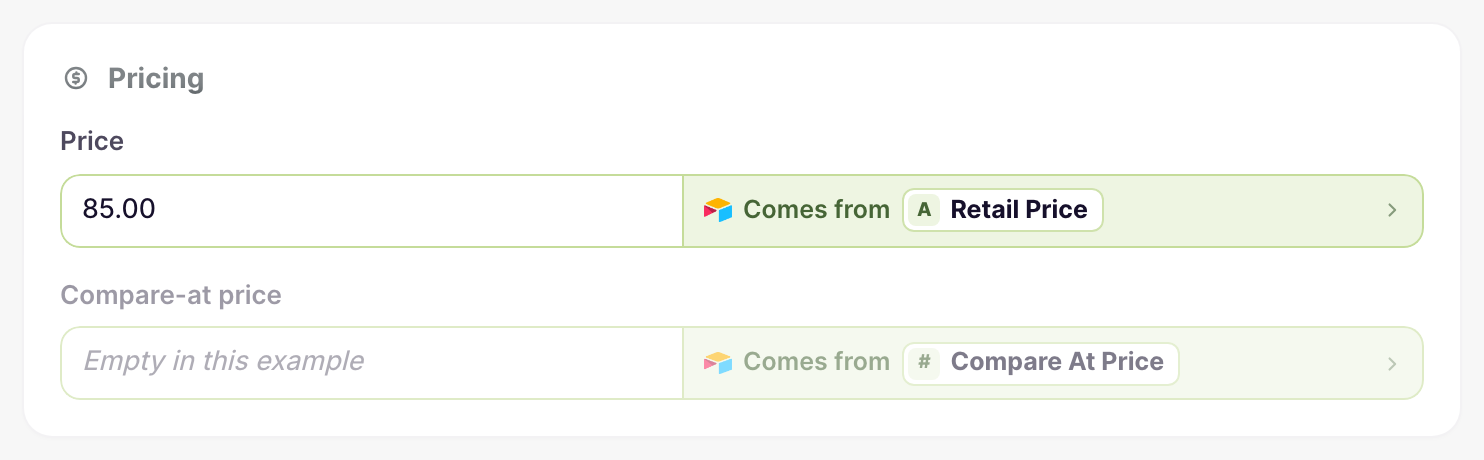
A row whose formula is empty keeps its current price. Compare-at price works the same way with its own formula.
What you’ll see after syncing
After each run, the variants in the Shopify admin show the calculated prices. When the formula’s inputs change in Airtable, the next run sends the new prices.
Related pages
Still stuck?
Email the team and tell us which store and which Airtable base you're working with.