 AirPower
Download Shopify Data to Airtable on Demand
Copy existing Shopify records into Airtable again: backfill order history, fill new columns after you add fields, and refresh blog posts, pages, and payouts.
A Shopify to Airtable sync copies your store’s existing data once, during its first import. After that, it copies changes as Shopify reports them.
Records that haven’t changed since then don’t move on their own. A column you add later stays empty until each record changes, and a few data types never report changes at all.
A download copies records from Shopify again, on demand. Rows that already exist in Airtable are updated, not duplicated.
When to download
- After you add fields or columns, so existing rows fill in
- To bring in order history from further back than the first import
- After you fix errors, so the affected rows get the right data
- After you turn a sync back on, to catch up on changes made while it was off
- To refresh data types that only update when you download them
Download from Settings
- On the dashboard, click Edit on the Shopify to Airtable sync
- Click Settings
- Find Download data
- Click Download next to the data type
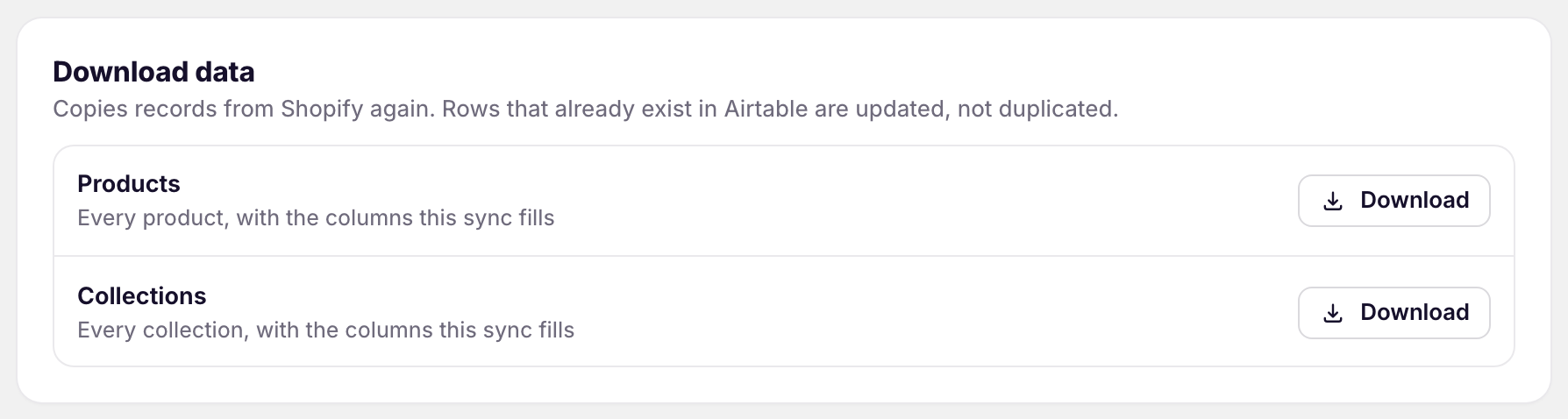
The list shows one row per data type in the sync. Some data types come with another one’s download: variants, images, and stock with products, transactions with their orders, and line items with their orders, refunds, returns, and fulfillments.
Orders, refunds, returns, and fulfillments download from a date. Set the date next to Since before you click Download. The default is six months ago.
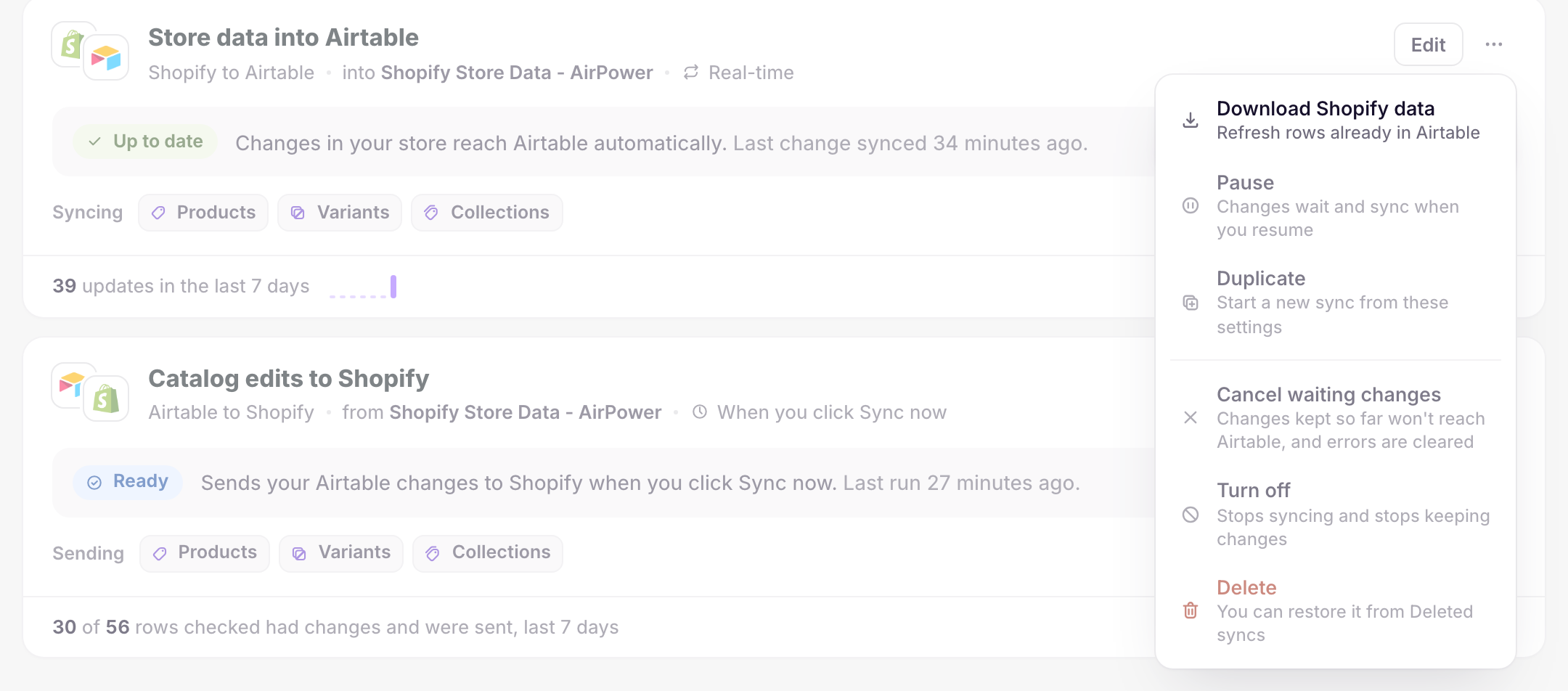
You can also open Download data from the dashboard. On the sync card, click ⋯, then Download Shopify data.
Data that updates only when you download it
Shopify doesn’t tell apps when some data types change. These update only when you download them:
- Blog posts
- Pages
- Translations
- Payouts, with their balance transactions
- Market and B2B prices
When a sync includes one of them, its dashboard sync card shows a note with a Download now menu. Pick a data type, or All of them. Their rows in Download data say Shopify doesn’t tell apps when these change.
Shopify doesn’t report changes to files either, but they aren’t in the card’s Download now menu. To pick up new and changed files, download Files from Settings > Download data.
Download after changing fields
When you add or change fields on the sync page and click Save, the Save changes panel offers to download the affected data again.
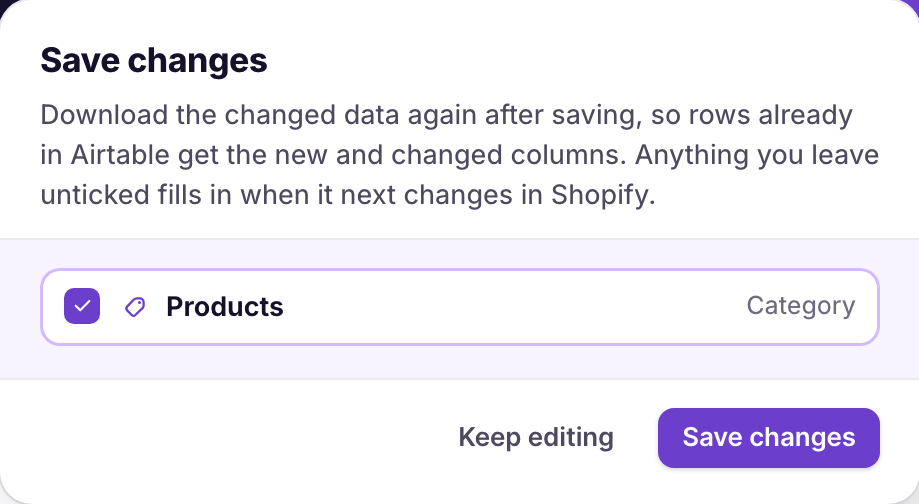
- Tick the data types to download again
- Click Save changes
Anything you leave unticked fills in the next time it changes in Shopify.
What you’ll see after downloading
A message confirms the download, such as Downloading products. Rows arrive in Airtable over the next few minutes. The dashboard sync card shows Syncing while the download runs, then Up to date.
Large stores can take longer. The download keeps going if you close the page.
Related pages
Still stuck?
Email the team and tell us which store and which Airtable base you're working with.