Bulk updates to Shopify data are an area where Airtable particularly excels. Given Airtable’s super intuitive interface, easy to use column and table management, and the reliability of Airtable ensure that bulk updates any data in your base is a breeze.
In this example we’ll show how to bulk update products, but the exact same process applies to variants, images, inventory, orders, draft orders, and customer data.
To bulk update products from Airtable to Shopify, first create an Airtable → Shopify sync. Open the sync, then open the Products section. Ensure the product fields you want updated are mapped to Airtable columns and enabled.
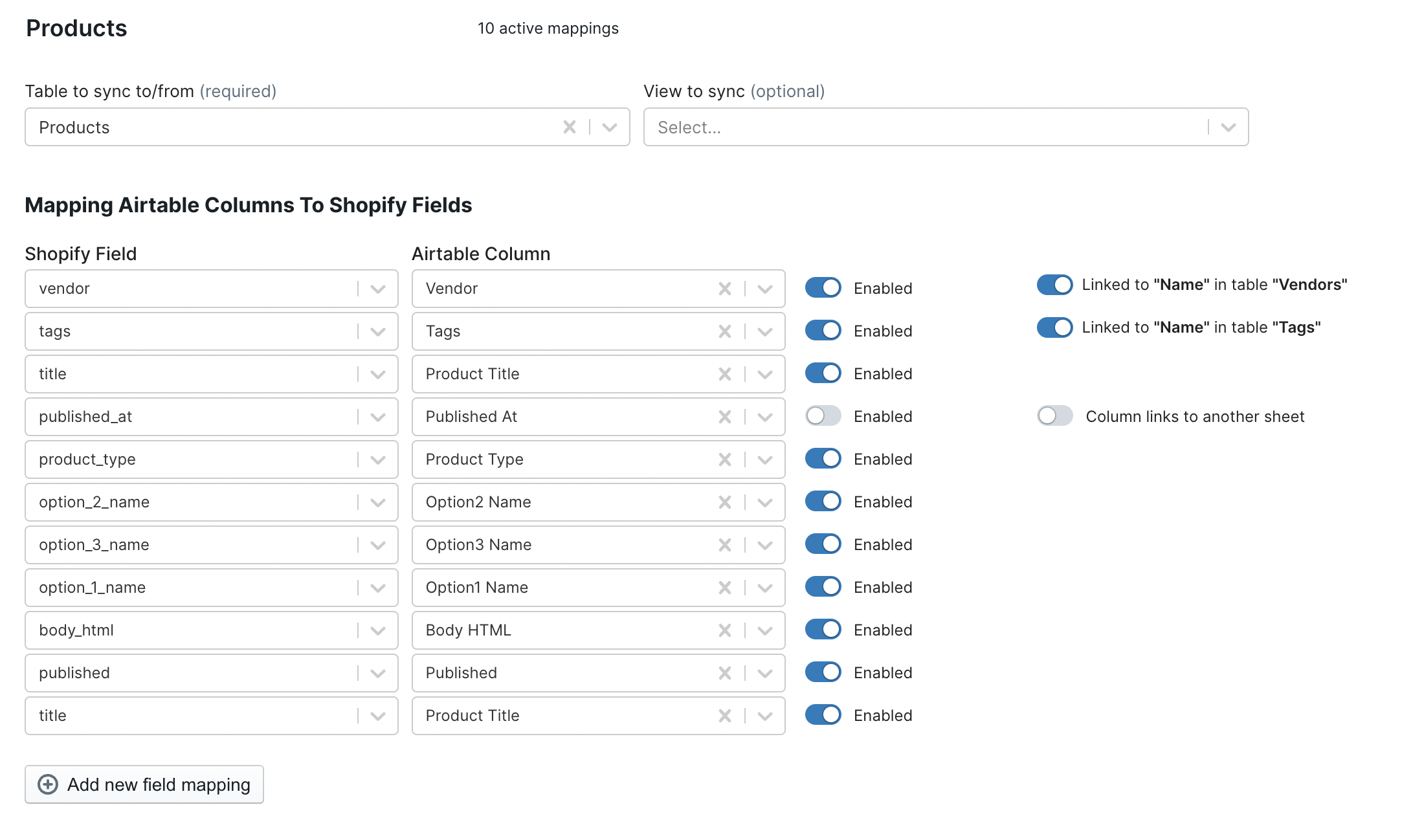
Now, make the necessary updates to the rows representing your Shopify products. For example, update the products’ tags, or make individual changes to certain products you’d like to have reflected in Shopify in bulk.

When you are ready to make the update to Shopify just initiate the Airtable to Shopify sync.
By default, AirPower will pull all the data from every table you’ve elected to sync from Airtable to Shopify (e.g., Products) and sync all relevant fields to Shopify. This may end up taking a long time if you have a lot of data, and is undesirable if you want to update a fraction of your products, for example.
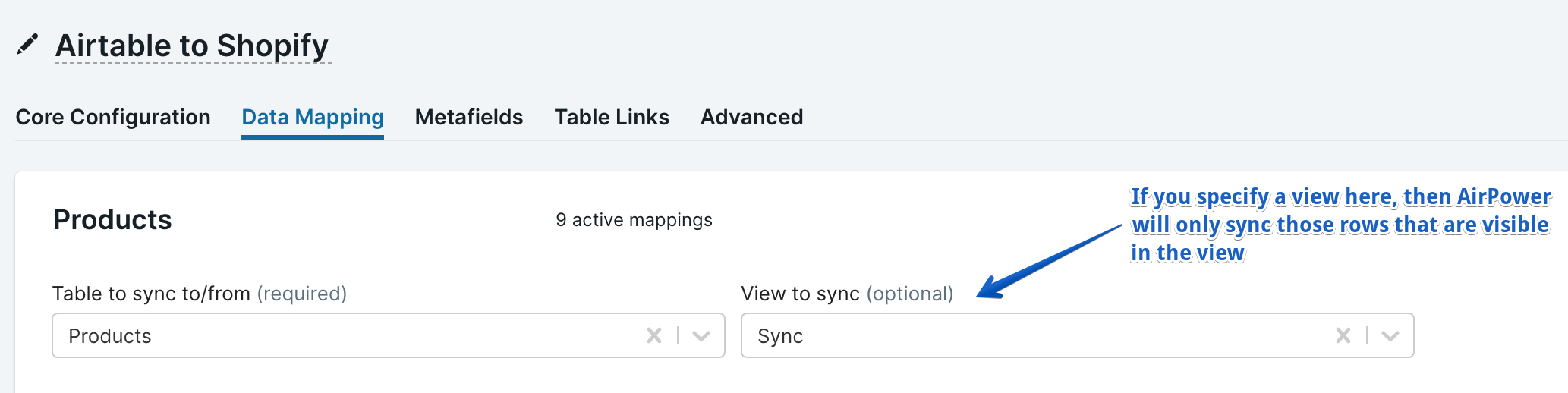
AirPower gives you the ability to select which rows will be pulled and sent to Shopify. The key tool here is Airtable views. Set up a view that contains only the rows you want to update, then set View to sync in the sync.